This article may include affiliate links that earn us a small commission at no extra cost to you.


How to Play Xbox Games on a Hisense TV Without a Console
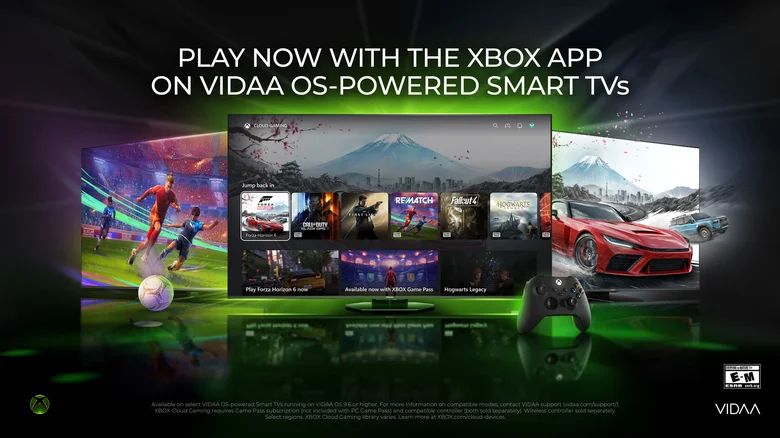
You can play Xbox games on supported Hisense TVs without connecting an Xbox console. The Xbox app streams games through Xbox Cloud Gaming on select VIDAA OS-powered Hisense models.
Check whether your Hisense TV is supported
Your TV needs VIDAA OS 9.6 or higher. Xbox says the app is rolling out across supported 2024 through 2026 VIDAA OS-powered TVs, so availability can vary by model and region.
Check compatibility before buying a subscription or controller. A Hisense logo alone does not confirm that your TV supports the VIDAA Xbox app.
What you need before you start
Xbox says the setup requires a supported Hisense or VIDAA OS TV, an Xbox Game Pass subscription, a supported Bluetooth wireless controller, and a reliable high-speed internet connection.
Have these ready:
- Your Xbox account: You will sign in through the TV app.
- An active Game Pass plan with cloud gaming: Xbox says Ultimate, Premium, and Essential are supported.
- A compatible Bluetooth controller: An Xbox Wireless Controller is one supported option.
- A stable internet connection: Xbox recommends at least 20 Mbps and a wired Ethernet connection where possible. If you use Wi-Fi, connect to your router’s 5 GHz network when available.
Xbox Cloud Gaming runs the game remotely and streams it to your screen. You do not need an Xbox console connected to the TV.
How to set up Xbox Cloud Gaming on your Hisense TV
Step 1: Update your TV
- Open your TV’s Settings menu with the remote.
- Follow VIDAA’s update instructions: select System Settings > Support > System Upgrade > Check Firmware Upgrade.
- If an update is available, follow the TV’s instructions to install it.
- Once the update finishes, check that your TV is running VIDAA OS 9.6 or newer.
Menu wording can vary by model. If the required update is unavailable, contact VIDAA support to check your model’s compatibility and rollout status.
Step 2: Open the Xbox app
- Press Home on your TV remote.
- Look for the Xbox app on the Home page.
- If you do not see it there, check the Games section of the menu bar.
- Select the app to open it.
Xbox says the app appears on supported TVs after the required update. If it is still missing, follow the troubleshooting section below.
Step 3: Sign in to your Xbox account
- Follow the app’s sign-in instructions.
- Sign in to your Xbox account, or create one if you do not have one.
- Use the account with your active Game Pass subscription so the app can recognise your cloud gaming access.
Step 4: Pair your Bluetooth controller
The following steps use an Xbox Wireless Controller. Other supported controllers have their own pairing buttons and instructions.
- Press the controller’s Xbox button to turn it on.
- Hold its Pair button for three seconds, then release it. The Xbox button should flash while the controller searches for a connection. Xbox explains the pairing process on its controller page.
- On the TV, open Settings > Connection > Bluetooth and turn Bluetooth On.
- Select Bluetooth Device, find Xbox Wireless Controller, and select it to connect.
- Return to the Xbox app and check that the controller responds.
Hisense documents the TV menu in its VIDAA user manual. Some models use different menu names, so check your TV’s manual if you cannot find Bluetooth Device.
If the controller does not appear, keep it close to the TV and try pairing again. For another controller, follow its manufacturer’s instructions to put it in pairing mode before selecting it on the TV.
Step 5: Choose a cloud-supported game
- Browse the games available in the Xbox app.
- Select a game that supports cloud gaming and is available through your subscription or supported purchases.
- Follow the on-screen prompt to start playing.
Xbox says your game progress can move with you across supported devices. Game Pass subscribers can also stream supported games they already own, even when those games are outside the Game Pass catalog.
Game Pass cloud access changes in November
Starting in November 2026, Game Pass plans will include monthly cloud gaming limits: 15 hours for Ultimate, 10 hours for Premium, and 5 hours for Essential.
Xbox also plans to let gamers buy cloud playtime without a Game Pass subscription in November. Microsoft says pricing and more details will be shared before the change takes effect.
If the Xbox app does not appear
Check the TV’s software version again before assuming your model is unsupported. Xbox says the VIDAA OS 9.6 update may not be available on every supported TV at the same time because the rollout is gradual.
If your TV is updated but the app is still missing, Xbox recommends contacting VIDAA support for model compatibility details. The Xbox on TVs page also keeps the current list of supported TV platforms in one place.